Groundbook AI reads the building codes and amendments that states, counties, and cities publish online, in a web browser, the way a human reviewer does, and detects the codes your drawings cite. Model codes and standards that publishers own, such as the International Codes, NFPA, and ASME, are licensed; Groundbook uses them only where a license allows it, and you can upload a copy you’re licensed to use. Each finding cites the section. We never copy or distribute code text.
How Groundbook finds the codes a project cites
When building-code checks are turned on for a review, Groundbook reads the code references in the uploaded drawings, usually from the code analysis, the cover sheet, and the general notes, and lists the codes it found for each drawing file. You can remove a code that does not apply and add one the drawings did not name.
Codes governments publish online
Many of the rules that govern a project are published by governments: state amendments and supplements, county and city codes, and fire-district ordinances. Some countries also publish their national building codes for reuse, such as the UK Approved Documents and Australia’s National Construction Code.
For state codes, see the review guides for the California Building Code, California Fire Code, Oregon Structural Specialty Code, Florida Building Code, and Washington State Building Code, and for city codes, the NYC Construction Codes. The federal 2010 ADA Standards are published free by the Department of Justice.
Groundbook reads these the way a human reviewer does. Our AI uses a web browser to open the government’s page, find the edition the project uses, and read the section or table that applies. The finding cites the section and links to the source, so you can open it and check it yourself.
Licensed codes and standards
Model codes and standards are owned by the organizations that write them: the International Codes by the International Code Council, NFPA standards by NFPA, and the ASME boiler and piping codes by ASME. Their license terms control how software may use them. Our I-Code review guides cover the IBC, IRC, IFC, IMC, IPC, IEBC, IECC, IFGC, and ISPSC. Other guides cover standards the codes reference: ICC A117.1, ASCE 7, ACI 318, AISC 360, and ASHRAE 90.1, and IAPMO’s Uniform Plumbing Code.
Groundbook uses these codes only where a license allows it. We reference the section. We never copy or distribute code text. A finding names the section it relies on, so the responsible professional can check it in their own copy.
Example: a seismic design category finding
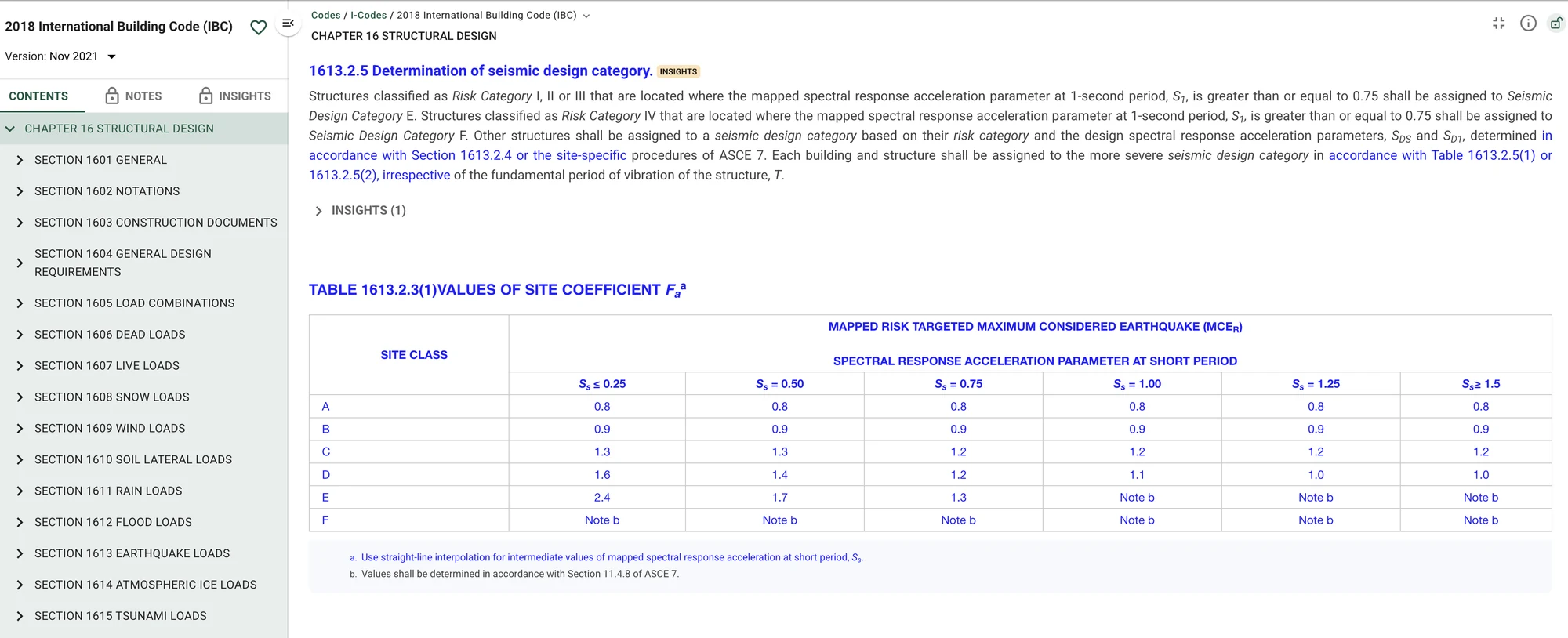
On a recent project in Southern Nevada, the structural notes gave an SD1 of 0.26 and assigned Seismic Design Category C. The finding cited IBC 2018 Table 1613.2.5(2), which puts that value in Category D, and the Southern Nevada amendments to Section 1613, which do not change it, and flagged the conflict for the structural engineer to resolve.
When to upload a code PDF
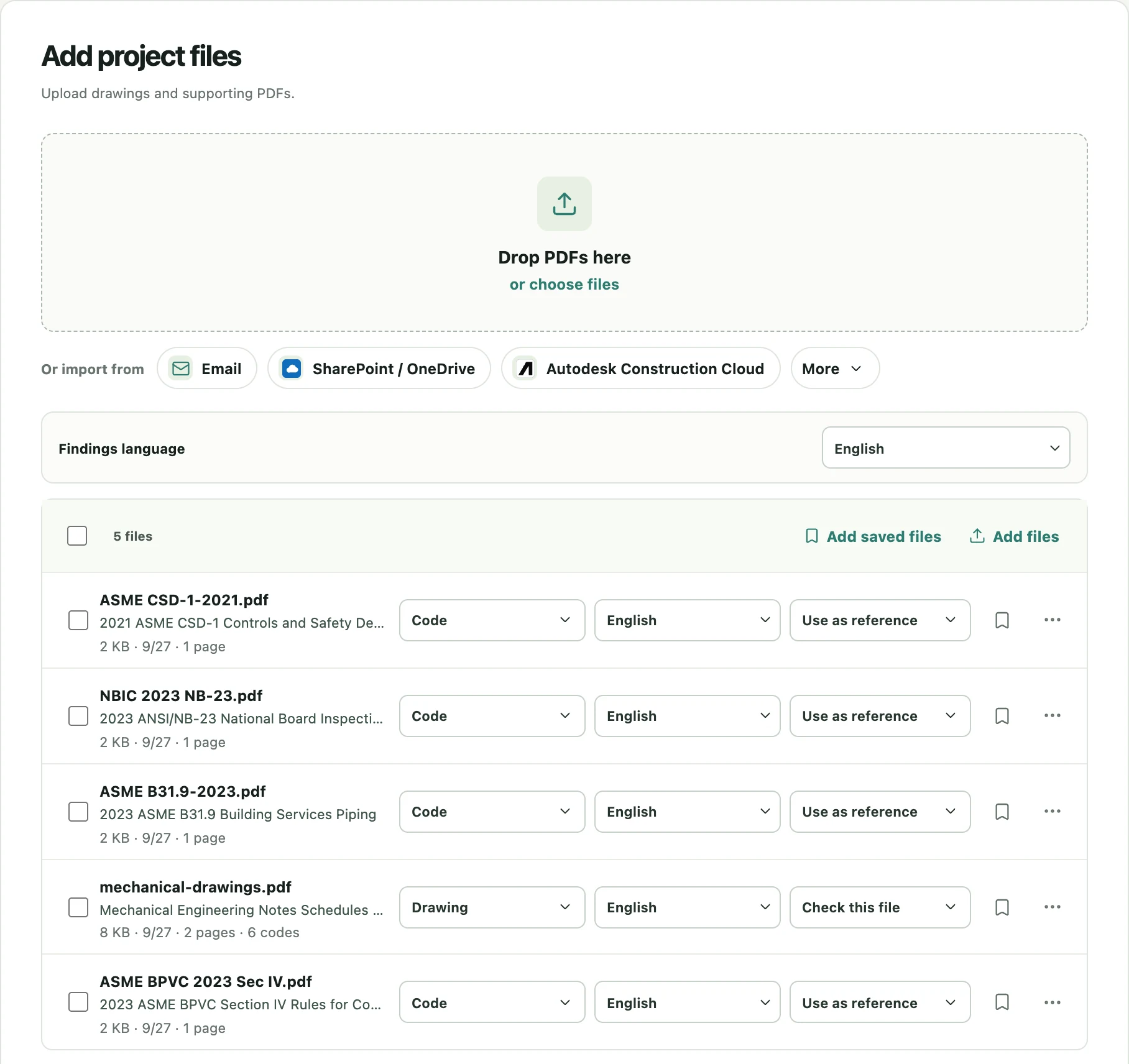
Upload a code if you hold a license for it that allows this use, or if it is a local document the jurisdiction has not published online. Add the PDF to the project and set its role to Code. Groundbook matches uploaded code PDFs to the cited codes automatically and asks you to confirm when it cannot tell whether a file is the same code and edition.
Save a code once and reuse it on every project
Uploaded PDFs, including code PDFs, can be saved for later. Mark a processed file as saved, and it appears in your saved files, where any future project can add it without uploading or processing it again.
- Keep the edition visible. Name the saved file with the code, the edition year, and the jurisdiction, so the right version is easy to pick when the adopted edition changes.
- Save amendments separately from the model code. A state supplement or municipal ordinance is usually a separate document, and keeping it separate lets Groundbook cite it as its own source.
- Review the code list on each project. Detected codes come from the drawings, so a set that cites the wrong edition will show that edition. Correct the list before the review starts.
Who can see the codes you upload
A saved file belongs to the account that uploaded it. It is not visible to other Groundbook customers and it is not used to train third-party AI models. Within your own organization, a project can be shared with the colleagues you choose, and the review results reference the code source you supplied; the saved file itself remains in your own account.
What a local-code finding looks like
A code finding pairs the drawing condition with the requirement it appears to conflict with, cites the section, and links the drawing. In the published waterfront hotel review, a door-rating finding placed the door schedule beside the separation requirement and the referenced opening-protection provision, so the reviewer could see the rated wall, the unrated door, and the section that applied before deciding anything. Findings include a severity, the disciplines involved, the possible impact, and a recommended fix. See the waterfront hotel case study for that finding and others from the same review.
The same structure applies to a local amendment. If a city’s ordinance requires a stricter guard height, a larger fire-flow, or a different egress width than the model code, the finding cites the ordinance, and the reviewer can check the exact clause.
What the review does not decide
Find the official authorities and reference documents for your project in our AI plan review guides for all 50 states and San Francisco.
Groundbook flags potential code issues with their evidence. It does not certify compliance, decide which edition governs a project, or interpret an exception on the jurisdiction’s behalf. Confirm the adopted editions and amendments with the project team or the authority having jurisdiction, and treat every code finding as a question for the responsible professional to close. For the review scope and workflow, see the building code compliance review.